


Classic Solitaire: Card Games
4.5193.00 Reviews
App Specs
- Version
- 4.9
- Updated On
- License
- Free
- Downloads
- 1,000,000+
- Developer
- CYBERNAUTICA
- Categories
- Card
- Platform
- Android
Screenshots
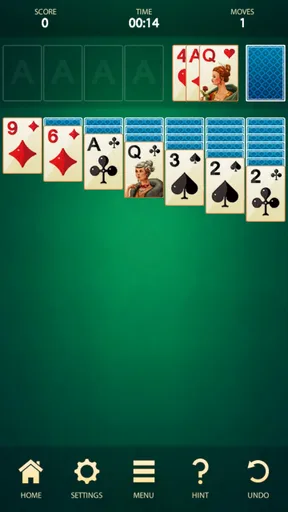
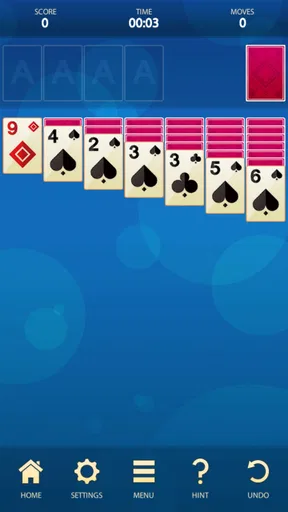

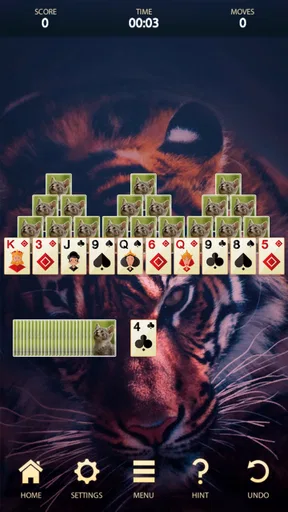
 Analysis by AppCompare
Classic Solitaire: Card Games is the kind of game I open when I want something familiar, quiet, and easy to start. It is a card game from CYBERNAUTICA, built around the traditional solitaire experience rather than a complicated progression system or a busy multiplayer environment. I can begin a hand quickly, pause when I need to, and return later without having to learn a large set of rules.
That simplicity is the main reason I find it appealing. The game is free, suitable for Everyone, and has been available since September 16, 2017. It has grown into a well-established choice, with more than a million installs and an average rating of 4.4 from roughly 5,200 ratings. Those figures do not make it automatically perfect, but they do match my impression: this is a dependable casual card game for people who mainly want classic solitaire without unnecessary decoration.
I spent time looking at it not just as a way to fill a few minutes, but as a repeatable everyday game. The difference matters. A quick solitaire app can be pleasant for a single session, yet frustrating when its controls slow down every move or when it gives too little control over the way cards are handled. Here, the basic workflow is straightforward, although the experience is best when I treat each hand as a small decision-making exercise rather than tapping randomly until the game ends.
How a normal session feels from the first deal
The baseline workflow is refreshingly uncomplicated. I start a hand, examine the tableau, and look for moves that open face-down cards before making obvious foundation plays. That order is more useful than immediately moving every available card to a foundation pile. In solitaire, a move that looks productive can sometimes remove the only card needed to build a longer sequence, so I prefer to spend a few seconds reading the layout first.
For a short break, I usually play with a simple rhythm: scan the columns, expose a hidden card where possible, check whether a useful alternating-color sequence can be moved, and only then send safe low cards upward. This habit keeps the game from becoming a string of hurried taps. It also makes a losing hand easier to understand, because I can usually identify whether I blocked a column, used a reserve card too early, or missed an available rearrangement.
The appeal is strongest in ordinary situations. I can play while waiting for an appointment, during a short commute when I am seated, or at the end of the day when I want something more active than scrolling but less demanding than a strategy game. A typical session does not require a long commitment. If I have only a few minutes, I can make several deliberate moves and stop without feeling that I have abandoned a complicated campaign.
That same structure makes it suitable for people who already know classic solitaire. The rules are recognizable, and the learning curve is gentle enough for someone who has only played the paper version. I would particularly recommend it to players who want a familiar card layout on a phone and do not need social features, narrative content, or a large collection of unrelated mini-games.
Worth Reading Before You Choose

EA SPORTS FC Mobile 26 Is a Bigger Football Game, but It Takes Time

Flipboard Shows What News Apps Must Do Beyond the Feed

Switching to Android Auto Means Rethinking Your Driving Routine

Google Calendar Makes a Crowded Week Easier to Manage

Ludo King Makes the Most of the Minutes Between Plans

Baby Panda World Brings Quick Play to Modern Phones, but Its Game Library Feels Busy
New players should still give themselves time to understand why some moves are stronger than others. The game may be easy to launch, but winning consistently is not simply a matter of finding any legal move. A useful early question is, “Which move reveals information?” Moving a visible card may improve the layout, but turning over a hidden card often creates more options and should usually receive priority.
The small routine that improves most hands
My most reliable routine is to avoid spending the stock or reserve cards automatically. I first inspect the tableau for moves that change the shape of the board. If I can uncover a hidden card or create an empty column without sacrificing flexibility, I do that before cycling through every available card. This is a small adjustment, but it prevents the common mistake of using the reserve as a source of random rescue moves.
I also separate “safe” moves from “urgent” moves. A safe move is one that does not remove a useful building card or close a route to an empty column. An urgent move is one that must happen now because another card depends on it. Thinking in those terms helps me avoid the impulse to move cards merely because the app allows it.
When I am playing casually, I do not try to calculate the entire hand. That would make a relaxing game feel like paperwork. Instead, I look one or two moves ahead and preserve choices. The practical goal is not to make the most visually satisfying move; it is to leave myself several legal options after the move is complete.
Settings and controls worth checking before settling in
One of the first things I recommend is spending a moment checking the available settings and control behavior rather than assuming the default arrangement is ideal. The useful question is not whether a setting sounds impressive, but whether it makes repeated play more comfortable. A solitaire game is built from many small interactions, so card movement, tap accuracy, and the way a hand restarts can affect the experience more than a flashy visual option.
I pay attention to whether I can move cards with a quick tap or whether I prefer dragging them. Tapping is generally faster when the intended destination is obvious, while dragging gives me more control when several piles are close together. On a smaller phone, that distinction matters. I find that deliberate taps reduce misplacement during fast play, but dragging can feel more natural when I am rearranging a long sequence.
It is also worth checking how the game handles a new hand, a restart, and an undo action if those controls are available in the current interface. These are not glamorous features, yet they define whether experimentation feels safe. An undo option is especially valuable for learning because it lets me test a move, observe the result, and reverse it without treating every mistake as a complete failure.
I do not use undo as a way to erase every imperfect decision. Instead, I use it as a training tool. If a move leaves the board worse, I go back and compare the alternatives. That teaches me more than simply restarting. Over time, I begin to recognize patterns such as delaying a foundation move, preserving a low card for a sequence, or opening a column only when I have a suitable king or equivalent top card ready.
Screen comfort deserves attention too. Solitaire often involves looking at small symbols for longer than expected, especially when I play several hands in a row. I prefer a layout with clear separation between piles and enough contrast to distinguish suits quickly. If the default appearance feels crowded on a particular device, I would rather adjust the phone’s display comfort or play in shorter sessions than strain to read every card.
There is a useful trade-off here. A minimal interface keeps the game focused, but it may provide less guidance than a more elaborate solitaire product. Players who want extensive customization, animated celebrations, daily challenges, or a large achievement system may find this experience restrained. Players who see those extras as distractions will probably appreciate the cleaner approach.
Using controls without turning the game into guesswork
My advice is to establish a consistent control habit. For example, I use quick taps for obvious foundation moves and slower, deliberate movements for tableau rearrangements. I also pause after an undo instead of immediately repeating the previous action. That pause helps me identify whether the problem was the move itself or simply the order in which I played the hand.
When the interface offers more than one way to perform a move, consistency matters more than speed. A repeatable method reduces accidental taps and makes my decision-making easier to review. This is particularly helpful for someone playing on a phone while holding it in one hand, because a rushed drag can be less reliable than two clear taps.
I would not expect settings to transform the game into a different type of solitaire. They can improve comfort and reduce friction, but they cannot compensate for a layout that does not suit your preferred rules or for a player who wants a deep competitive system. That is an important distinction when comparing this app with larger card-game collections.
Faster patterns that still leave room for good decisions
Experienced solitaire players often become faster not because they tap blindly, but because they recognize which information matters first. My quickest hands begin with a scan for blocked columns, exposed low cards, and opportunities to uncover face-down cards. I do not inspect every possibility equally. I look for moves that increase the number of future choices.
One practical pattern is to delay a foundation move when the card may be more useful in the tableau. Sending a card upward can look like progress, but it may remove a needed link from a sequence. I move it when the foundation placement is clearly safe or when it unlocks another important card. This is one of the easiest habits for new players to adopt, and it prevents many avoidable dead ends.
Another pattern is to value an empty column according to what it can accomplish, not simply because it is empty. An open space is powerful only when I can use it to move a meaningful sequence or place the right top card. Creating one too early can leave the board looking cleaner while giving me no practical advantage. I therefore ask whether the empty column will expose a card, reorganize a sequence, or create a route for a blocked pile.
I also watch the order of alternating colors. When two possible moves are legal, I favor the one that preserves more ways to place the remaining cards. This often means choosing the move that keeps a flexible black-red connection rather than forming a sequence that can only be extended in one direction. It is a subtle difference, but it is where the game becomes more interesting than simple card matching.
For stock or reserve play, I avoid cycling through cards without a purpose. Before revealing the next card, I ask what I am hoping to find and which tableau change would make that card useful. If I cannot answer, I usually inspect the board again. This habit slows the first few seconds of a hand but often saves time later because I am not creating a pile of temporary moves that eventually blocks the useful cards.
A realistic everyday example is a ten-minute break at work. I might begin a hand, make a careful opening sequence, and then need to stop. When I return, I do not try to remember every card immediately. I first identify the foundation progress, the empty spaces, and the face-down cards still hidden. Rebuilding that mental map takes only a moment and prevents me from continuing with a move based on a false assumption.
Speed versus completion
The game supports two different kinds of satisfaction. I can play for completion, where the goal is simply to finish a hand, or I can play for cleaner decisions, where I try to avoid unnecessary reversals and preserve flexibility. The first is better for a short distraction. The second gives the app more lasting value because familiar layouts become opportunities to refine my process.
I prefer not to judge every session by whether I win. A hand can be useful even when it ends badly if it shows that I repeatedly make the same structural mistake. For example, if I keep exhausting the reserve before opening the tableau, I know the next session should focus on patience rather than speed. That turns a basic card game into a modest exercise in planning and attention.
Where the simple design reaches its limits
Classic Solitaire: Card Games is not the right choice for everyone. If I wanted competitive matchmaking, social interaction, elaborate missions, or a strong sense of long-term progression, I would look elsewhere. Its identity is much narrower: it is a focused solitaire game, and its strengths come from that focus rather than from a large feature set.
It may also feel too plain for players who need constant novelty. A collection with many variants can offer a broader challenge, while a themed solitaire title may provide more visual rewards. This app is better suited to someone who enjoys the core loop itself. If the basic arrangement of cards stops being interesting, there may not be enough surrounding content to keep the experience fresh.
Another limitation is that familiarity can hide mistakes. Because the rules are recognizable, I sometimes assume I understand a hand before I have really studied it. The uncomplicated presentation does not remove the need for careful play. In fact, it can make discipline more important because there are fewer extra systems to guide or distract me.
The current version is 4.9, and the game supports devices running Android 7.1 or later. That makes it a practical option for people using an older compatible Android phone, although the exact comfort of the experience will still depend on screen size and touch responsiveness. I would check those basic requirements before installing, especially if the device is several generations old.
The Everyone age rating is another reason it works well as a shared casual game. I can recommend it to a broad range of players without presenting it as an intense or mature experience. Still, “easy to access” should not be confused with “always easy to win.” Younger or completely new players may need a little explanation about why uncovering hidden cards and preserving options are more important than making the first legal move.
Because it is free, the barrier to trying it is low. That does not mean every player will prefer it to a paid or more specialized alternative. Someone who values a completely tailored rule set, extensive statistics, or a richer presentation may reasonably choose a different solitaire app. My recommendation depends on priorities: this one makes sense when the classic card-table feeling is more important than a long list of extras.
Who should install it, and who should skip it?
I would install it for a parent who wants a familiar card game, for a commuter who needs a quiet offline-style pastime, or for anyone who wants a low-pressure break without learning new mechanics. It is also a good fit for players who enjoy improving through habits: scanning before moving, protecting flexible cards, and using undo thoughtfully rather than treating it as a shortcut.
I would skip it if my main reason for downloading a card game were tournaments, online opponents, elaborate daily goals, or a large menu of radically different games. I would also skip it if I wanted a highly decorative experience where every hand is wrapped in a progression system. The focused design is a benefit only when focus is what I want.
Compared with playing solitaire with physical cards, the app is faster to set up and easier to use in a small space. It handles the dealing and card movement, which removes the inconvenience of gathering and reshuffling a deck. Compared with a broad card-game collection, it is less varied but also less cluttered. Compared with a heavily gamified solitaire title, it offers a calmer experience and places more responsibility on the player to create a personal challenge.
My verdict after building a repeatable playing habit
After using it as both a quick distraction and a more deliberate practice game, I see Classic Solitaire: Card Games as a solid choice for traditional card-game fans. Its best quality is not a dramatic feature; it is the way the familiar format lets me establish a comfortable routine. I can check the layout, make a few purposeful moves, pause, and return without feeling lost.
The most satisfying way to use it is to combine simple controls with disciplined habits. I check the interface before settling in, use taps or dragging according to the situation, delay foundation moves when they might reduce flexibility, and treat empty columns as tools rather than decorations. Those choices make the game feel more thoughtful without adding complexity that is not part of its character.
There are clear boundaries. It does not replace a competitive card platform, a feature-heavy solitaire collection, or a game built around constant rewards. Players who need those things may become bored. For me, however, the restrained design is exactly why it remains easy to revisit. The app gives the classic format enough room to be relaxing while still rewarding careful decisions.
CYBERNAUTICA has kept the focus on a recognizable solitaire experience, and the result is approachable for a wide audience. With its free entry point, Everyone rating, broad installation base, and 4.4 average rating, it is an easy recommendation for someone asking me for a straightforward card game. If you want quiet, familiar solitaire with room to improve your habits, this is a dependable pick; if you want social competition or a deep reward system, choose a more specialized alternative.
My final recommendation is therefore positive but specific. I would suggest it to a friend who wants to fill short gaps in the day, relax with a known ruleset, or sharpen basic planning through repeated hands. I would tell that friend not to judge it by the number of extras it lacks, but by whether the central card play remains enjoyable. For the right player, that focused approach is not a weakness—it is the reason the game continues to work.
Pros
- Simple rules make it easy for beginners to start playing.
- Offline support lets you enjoy games without an internet connection.
- Multiple difficulty levels provide a challenge for regular players.
- Short rounds fit well into quick breaks or commutes.
- Card customization options make the table feel more personal.
Cons
- Ads may interrupt play
- especially between completed rounds.
- Some features may require in-app purchases or a premium upgrade.
- Random deals can occasionally feel repetitive over longer sessions.
- Small card details may be difficult to read on compact screens.
- Battery use can increase during extended gameplay sessions.
FAQs for Classic Solitaire: Card Games
What is Classic Solitaire: Card Games?
Classic Solitaire: Card Games is a mobile version of the traditional Klondike solitaire experience, designed for quick and relaxing single-player sessions. The app generally focuses on familiar card layouts, simple tap or drag controls, and an uncluttered gameplay loop. It is suitable for both beginners learning solitaire and experienced players who want a convenient card game they can play whenever they have a few free minutes.
How do you play Classic Solitaire: Card Games?
The objective is to move all cards to the foundation piles, arranging each suit in ascending order from Ace through King. On the main tableau, cards are usually placed in descending order while alternating colors, allowing hidden cards to be revealed and moved strategically. You can tap cards for automatic moves or drag them manually, depending on your preferred control style and the version installed on your device.
Can Classic Solitaire: Card Games be played offline?
Classic Solitaire: Card Games is primarily designed as a casual solo game, so many of its core features can usually be accessed without a constant internet connection. Offline play is useful when traveling or when you simply want a distraction without using mobile data. However, advertisements, online statistics, cloud synchronization, updates, or certain optional features may require an internet connection.
Is Classic Solitaire: Card Games free to download and play?
The game is generally available as a free download, allowing users to start playing without purchasing the basic solitaire experience. Like many free card games, it may include advertising, optional in-app purchases, or premium choices related to removing ads, changing card designs, or unlocking additional conveniences. Before downloading, check the store listing for the current pricing, advertising policy, and purchase details.
Is Classic Solitaire: Card Games suitable for all ages?
Solitaire is a family-friendly card game with straightforward rules and no requirement for fast reflexes, making it accessible to a wide range of ages. It can be especially appealing to players who enjoy quiet, strategic puzzles rather than competitive multiplayer action. Parents should still review the app-store rating and privacy information, particularly if children will use the device, because advertising and optional purchases may be included.


